Not sure what they meant?
Share a screenshot to Reread and see what their message likely means, why, and three replies you can send. Before you answer, check your own reply and see how it will land.
Get it on Google PlayAndroid 8.0 and newer. One free preview, then Reread Pro (a free trial when Google Play offers one). See it decode a message.
See it decode a message
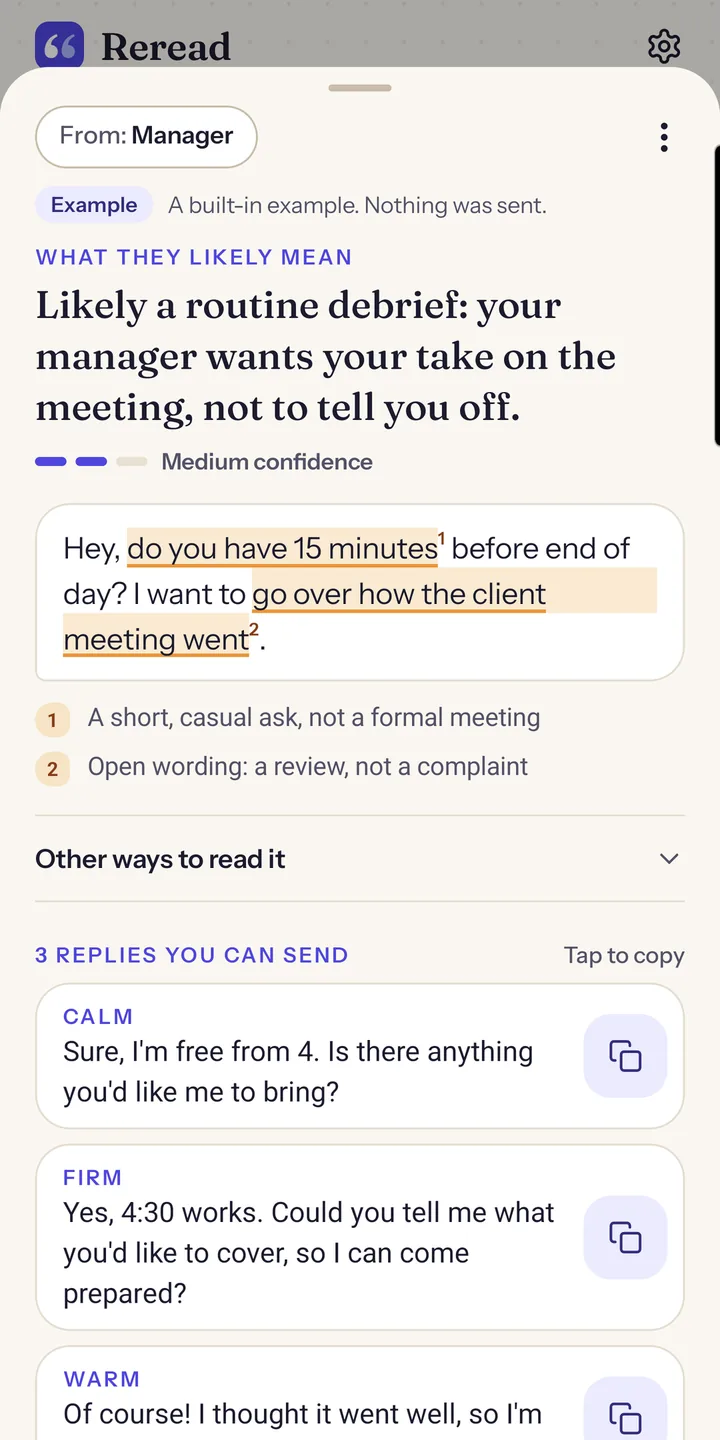
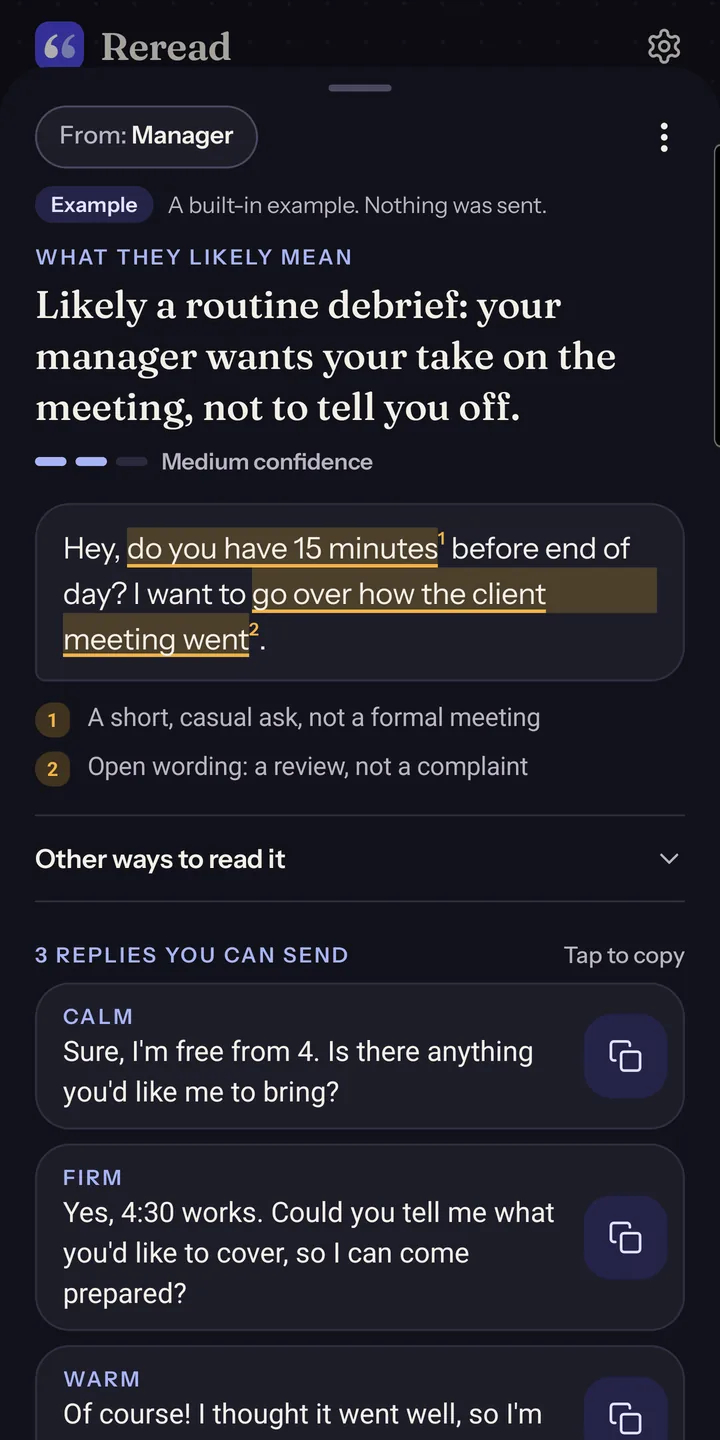
Share their message or a screenshot of the chat. Reread shows what it likely means, the exact words that point to it, another way it could be read, and three replies.
Hey, do you have 15 minutes before end of day? I want to go over how the client meeting went.
3:12 PM
 Shared to Reread
Likely meaning
Likely a routine debrief: your manager wants your take on the meeting, not to tell you off.
do you have 15 minutes
A short, casual ask, not a formal meetinggo over how the client meeting went
Open wording: a review, not a complaint
Or: something in the meeting bothered them, and they'd rather talk it through in person.
CalmSure, I'm free from 4. Is there anything you'd like me to bring?
FirmYes, 4:30 works. Could you tell me what you'd like to cover, so I can come prepared?
WarmOf course! I thought it went well, so I'm keen to hear your take.
Reread's built-in Decode example, played step by step. In the app, examples are free and nothing is sent.
Three steps, from any chat
No sign-up and no new chat app. Reread opens on top of the app you're already in.
Share it to Reread
Take a screenshot of the chat and share it to Reread, or share their message as text. Pick who it's from, like your manager, a client or family.
See what it likely means
The likely meaning in one line, the words that point to it, and other ways it could be read. A well-reasoned guess, never a verdict.
Reply, then check yours
Copy one of three replies, or write your own and check it: see how it will land with that reader, which phrase causes it, and three fixes.
See the whole app
Swipe sideways to browse. Swiping up or down still scrolls the page.
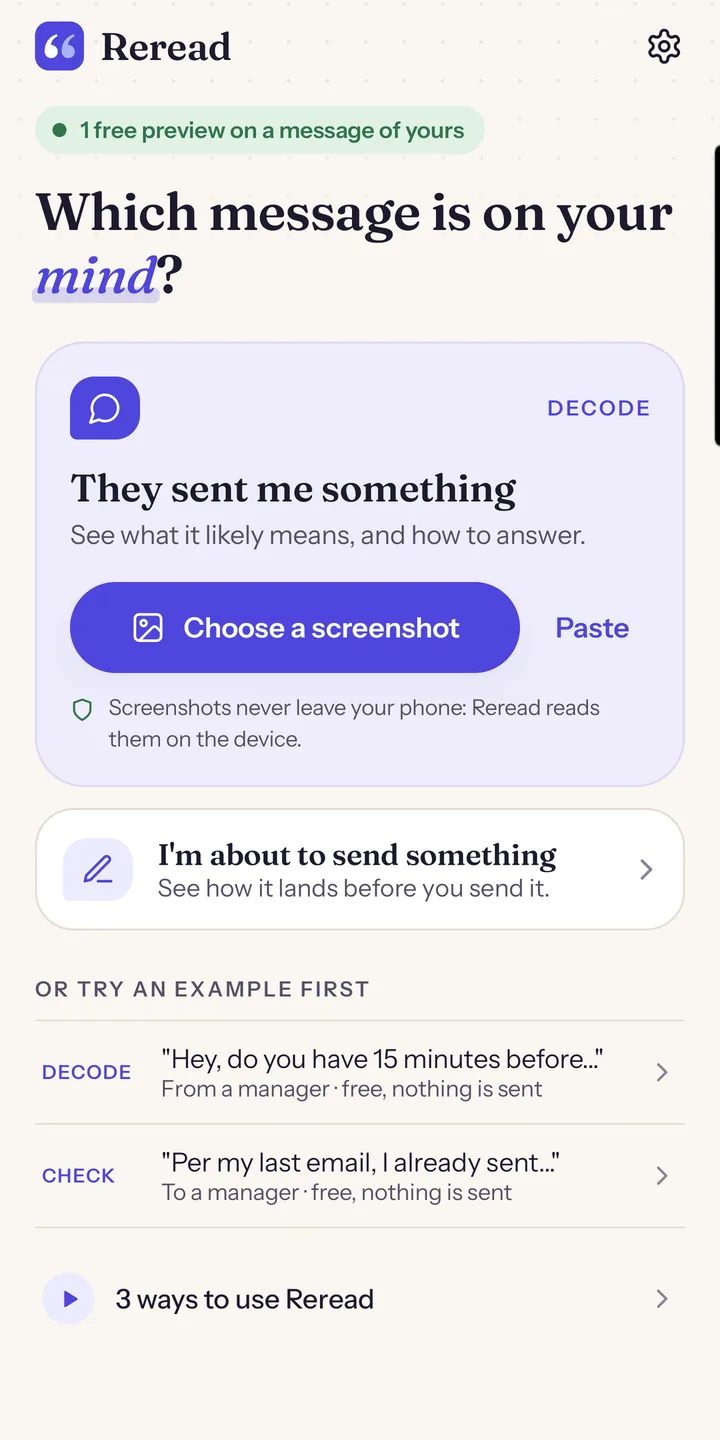
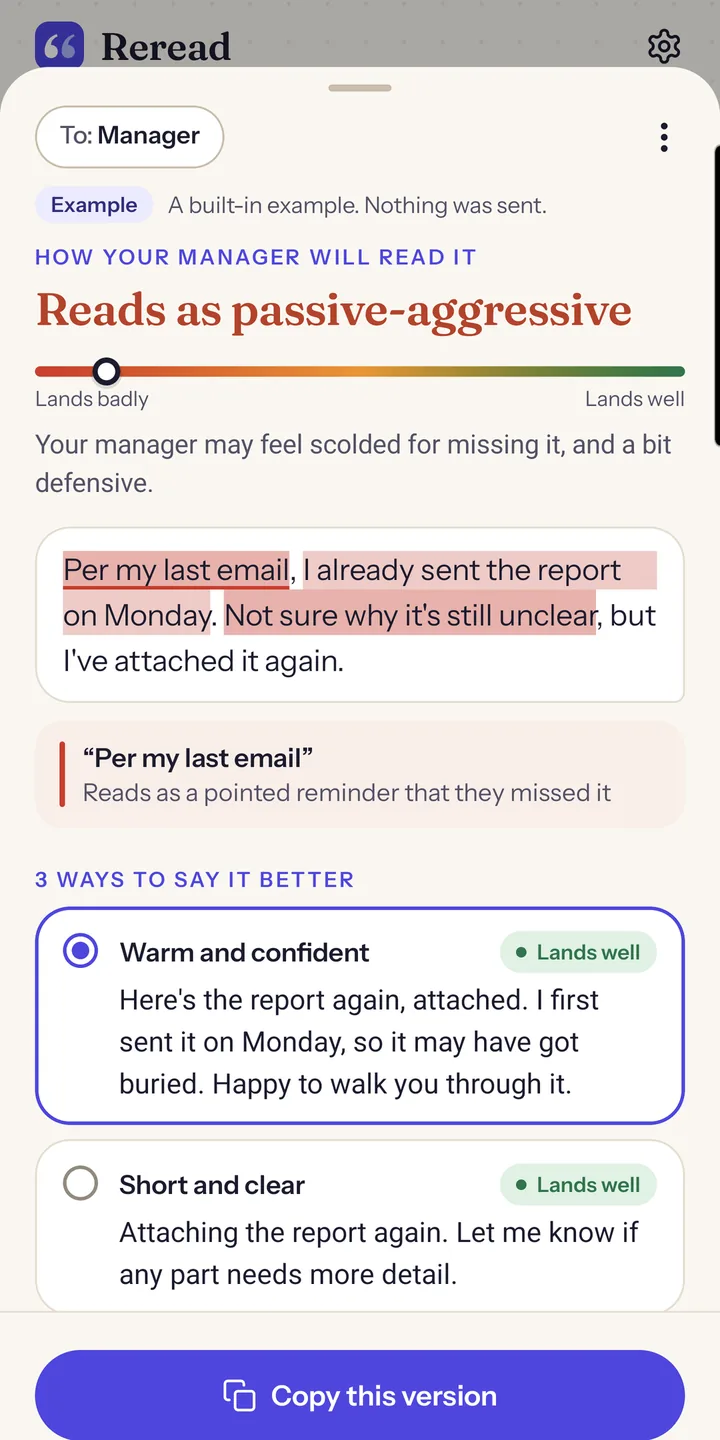
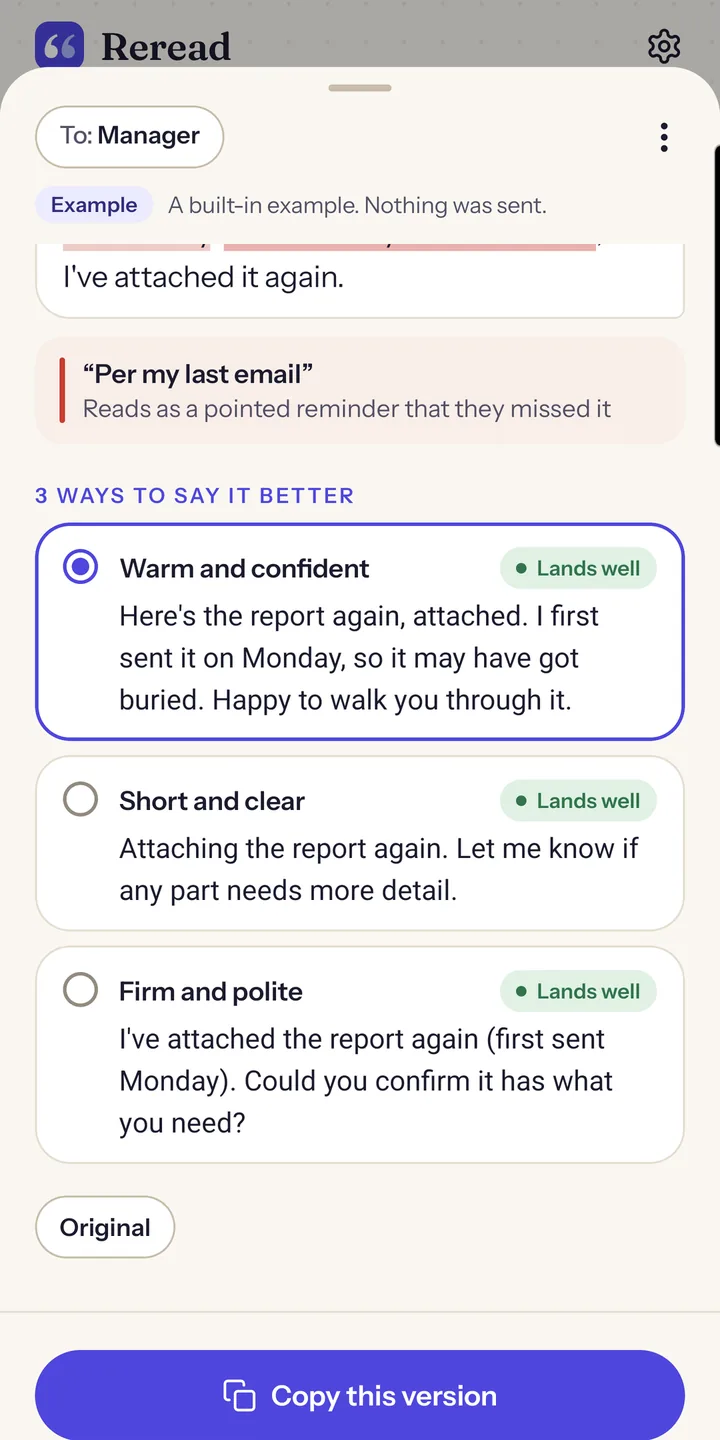
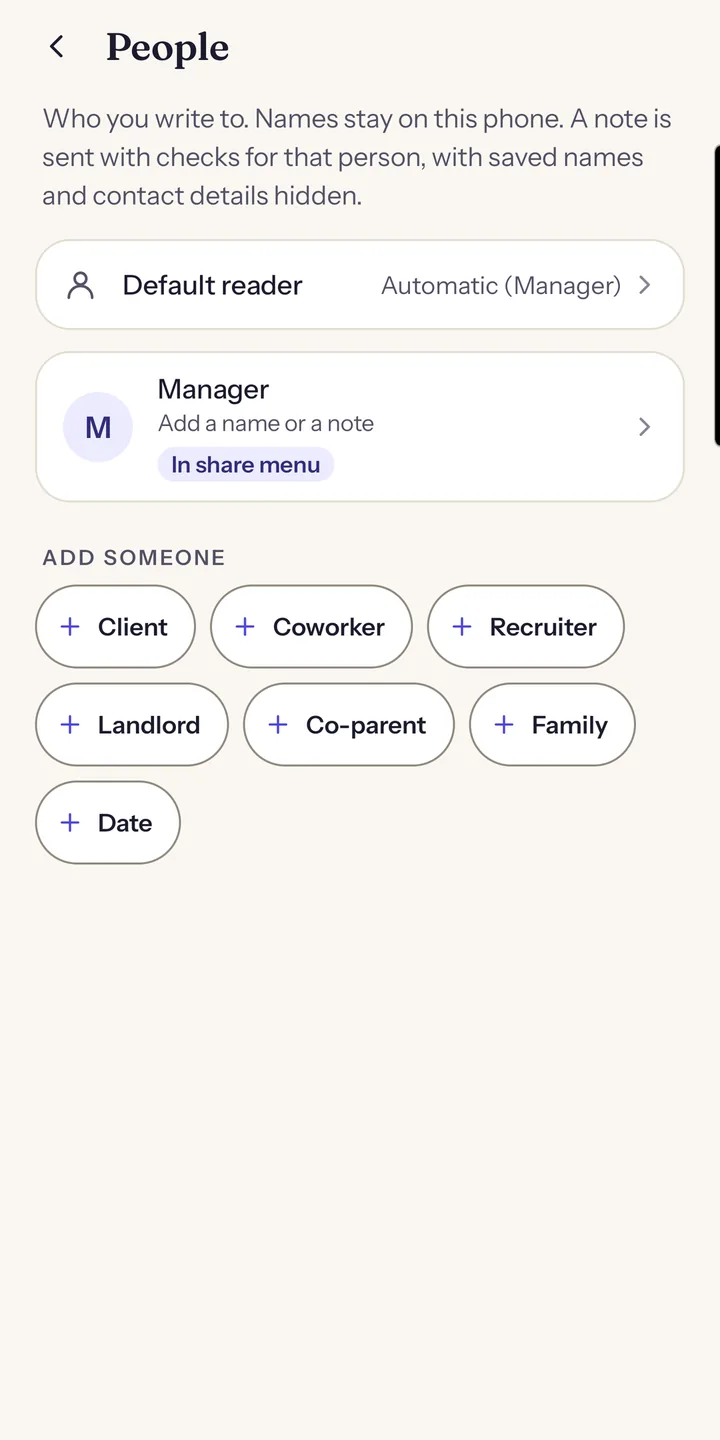
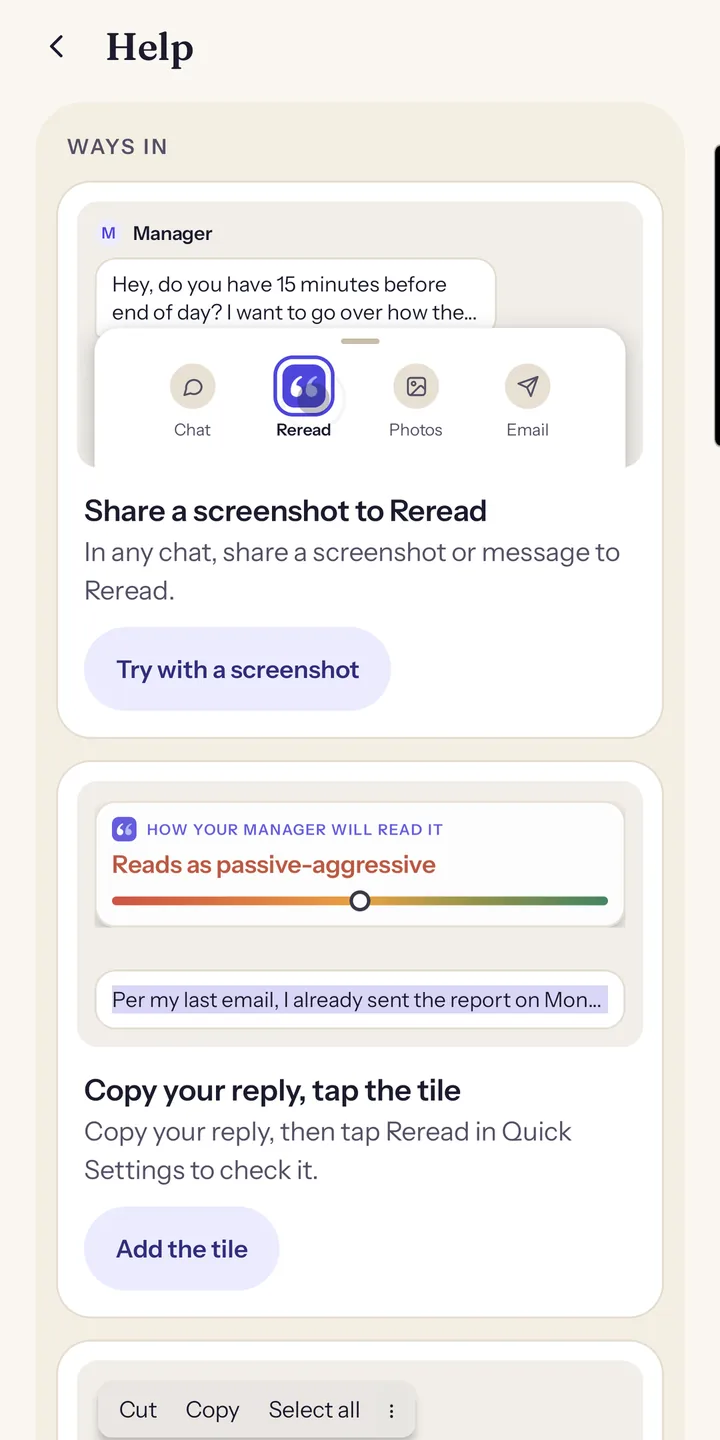
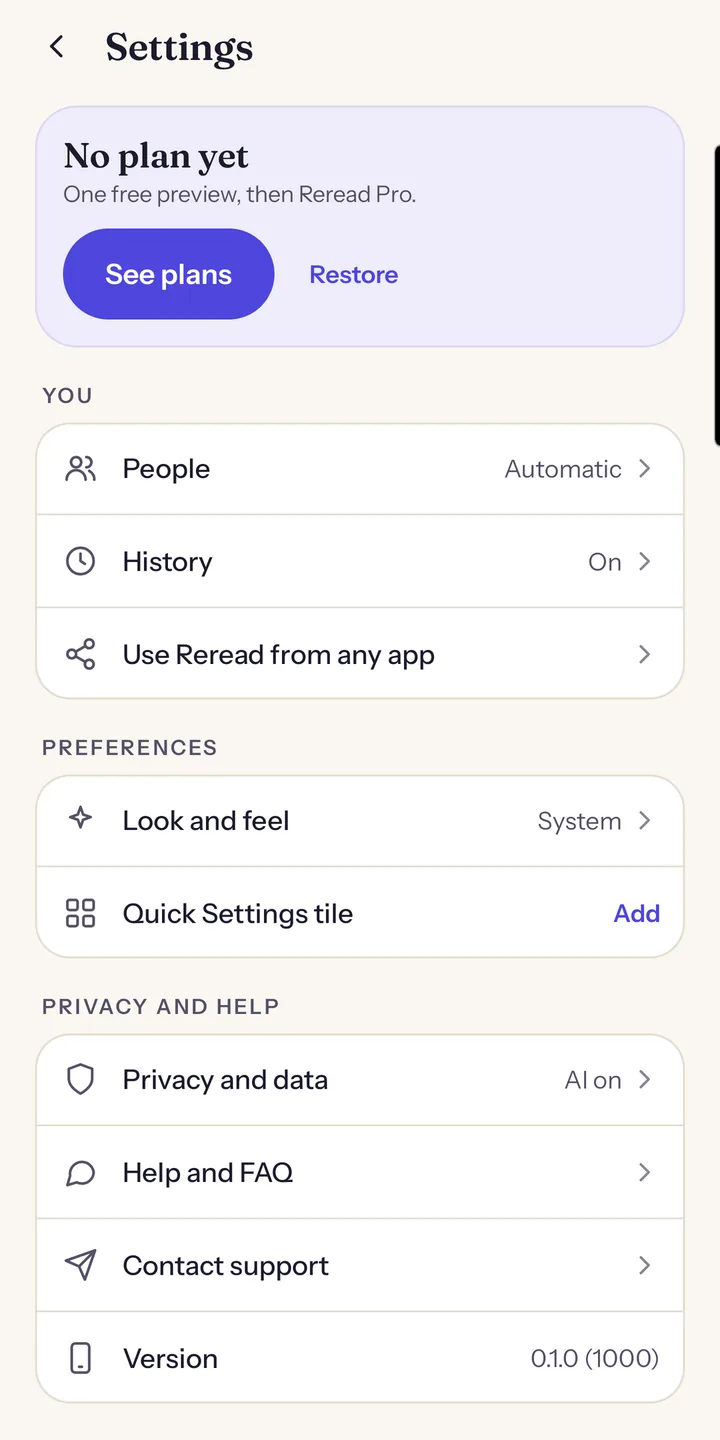
Real screenshots from the app.
Read theirs. Check yours.
Most worry starts with a message you got. Some starts with the one you're about to send. Reread helps with both.
Decode a message you received
A short reply, a vague "can we talk?", a message that's been sitting in your head all evening. Share it to Reread and get a calm second reading.
- The likely meaning, in one line
- The exact words that point to it, and other ways it could be read
- Three replies in different styles, like calm, firm or warm
- Pick who it's from, so the reading fits the relationship
Check before you send
See how your draft will land with the person reading it, before it's too late to change.
- How they're likely to take it: warm, curt, passive-aggressive, needy or over-apologetic
- The phrases that cause it, highlighted in your own text
- Three fixes that keep what you meant to say
- Eight readers: manager, coworker, client, recruiter, landlord, co-parent, family or a date
It's there when the message is
Reread works on top of the chat, email and work apps you already use. Three ways in, no copying back and forth.
Three ways in
- Share a screenshot or their message from any chat app to Reread to decode it. The screenshot is read on your phone.
- Copy your reply and tap the Reread tile in Quick Settings to check it. Reread reads what you copied only when you tap.
- Select the text you're writing and tap Reread in the menu that pops up. On some phones it's under ⋮ or "More".
Home screen shortcuts, Check copied text and Decode a screenshot, get you there in one tap too.
Private details stay on your phone
Reread only sees what you choose to send it, and it cleans that up first.
What you wrote
Hi Sam, call me on 07700 900123 or email jo@example.com. I'm at 12 Harbour Street until 6.
Masked on your phone, before anything is sent
What's sent
Hi [READER], call me on [PHONE_1] or email [EMAIL_1]. I'm at [ADDR_1] until 6.
Here, Sam is the name you gave for the person you're writing to. Other names in the text are sent as written.
Masked before it leaves
Phone numbers, email addresses, street addresses, and card and account numbers in common formats are masked on your phone before anything is sent, and the name you give for the person you're writing to is replaced. Other names are sent as written, and a detail written in an unusual way can be missed. A note you saved about someone in People is masked with the same patterns and names and sent with the reader type. When the result comes back, the details are put back on your phone.
- Screenshots are read on your phone and never uploaded
- Your messages aren't stored on our servers, and Google doesn't use them to train its models
- No ads, no advertising ID, no account sign-up
- No usage stats before you choose in setup, and you can turn them off any time in Settings
- Delete your account and data from Settings at any time
What Reread does
Decode their message
What a message likely means, why, and three replies you can send. From a screenshot or their text.
Check your reply
How your draft will land with this reader, the phrases that cause it, and three fixes in your own words.
Readers that fit
A landlord hears things differently from your family. Pick one of eight readers, or who it's from, and the reading follows.
Works from any app
Share, the Quick Settings tile, the text-selection menu and home screen shortcuts. Reread opens on top.
Masked on your phone
Phone numbers, emails, addresses and card numbers are swapped for placeholders before anything is sent, and screenshots never leave your phone.
Honest about doubt
A likely meaning, with other readings, never a verdict. You decide what to send. Wrong result? Report it from the result.
One free preview, then Reread Pro. Try Reread on a message of your own. After that, a subscription through Google Play is required to keep using it, weekly or yearly, with a free trial when Google Play offers one. You see the price before you pay, and you can cancel any time in Google Play.
Questions
Is Reread free?
You get one free preview on a message of your own. After that, Reread Pro is a subscription through Google Play, weekly or yearly. Some plans start with a free trial when Google Play offers one, usually one per Google account. The app shows the price, the billing period and, with a trial, the date of your first charge before you subscribe.
The built-in examples are always free and don't use up your preview. The subscription renews until you cancel it in Google Play → Subscriptions. Fair use limits apply; see the terms.
What does Reread send, and to whom?
Only the text you choose to decode or check, after common private details are masked on your phone: up to 12 messages of a conversation (3,000 characters in total) to decode, or up to 1,500 characters to check, plus the reader type you pick and, if you saved one in People, your note about that person (up to 80 characters, masked the same way, with the name you saved replaced). Our server passes it to Google's Gemini models (Vertex AI) to produce your result.
We don't store your messages or results on our servers, and Google doesn't use them to train its models. The privacy policy has the details, including what Google may keep for a short time.
Are my screenshots uploaded?
No. Reread reads the text in a screenshot on your phone, masks it, and sends only that masked text. The image itself never leaves your phone.
Does Reread read my messages or clipboard in the background?
No. Reread only sees text when you send it there: by sharing to it, selecting text and tapping Reread, typing or pasting into it, or tapping the Reread tile or the Check copied text shortcut, which read what you copied at that moment.
Can I delete my data?
Yes. In the app, open Settings → Privacy and data → Delete account and data. It deletes your Reread account and what's linked to it, and clears what Reread stored on your phone. If you can't open the app, ask us by email.
Deleting your account doesn't cancel a Google Play subscription. Cancel that in Google Play → Subscriptions. A slimmed purchase record, no longer linked to you, is kept until the subscription's expiry plus 90 days; the deletion page explains what is kept and why.
Which phones does it work on?
Android 8.0 and newer. Reread isn't on iPhone. A few apps hide the text-selection menu; Share and the Quick Settings tile work everywhere.
Which languages does it support?
English only for now, for messages and for the app. Reread is launching in the US, the UK, Canada, Australia, New Zealand and Ireland.
Is it always right?
No, and it doesn't pretend to be. Reread uses AI to estimate how a message may come across. A likely meaning is a well-reasoned guess, not a fact, and Reread isn't legal, HR, medical or mental-health advice. If a result is wrong or offensive, report it from the result.
Next time a message makes you wonder, reread it.
One free preview, then Reread Pro on Google Play.
Get it on Google PlayQuestions? support@getreread.app · Help and support